
7.2 Local console accounts
Administration → Users. The upper card, Local admin accounts, lists every local account. The lower card, Active Directory access, assigns roles to AD groups and users (section 7.3).
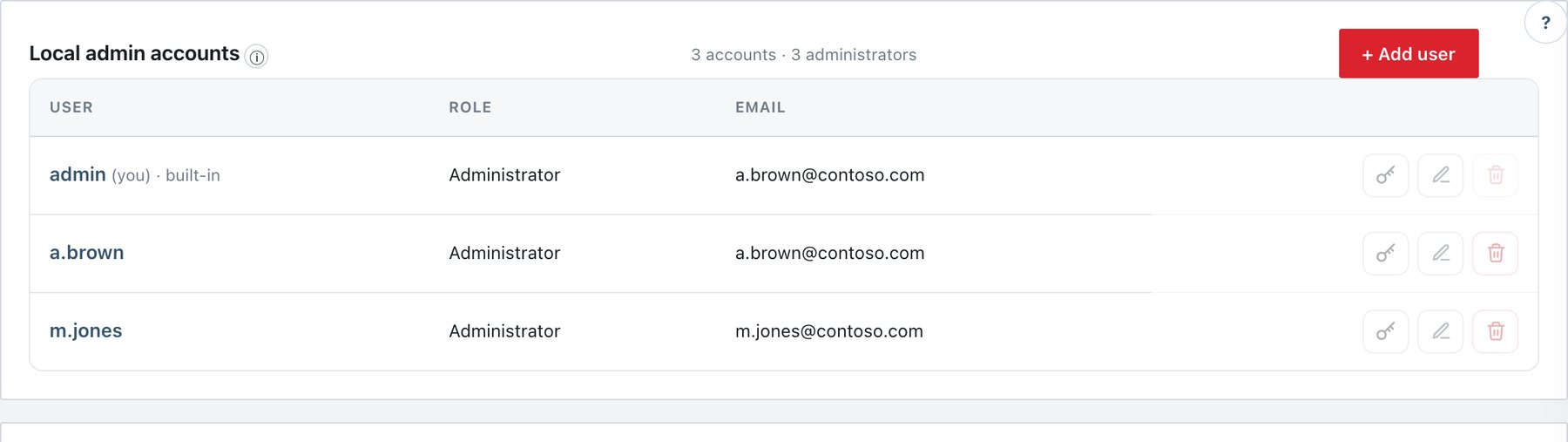
What the list shows
- Header: N accounts · N administrators and + Add user.
- Columns: User (click the name to edit; (you) marks your own account; · built-in marks the installation’s built-in administrator), Role, Email (— when none).
- Row actions:
- Key: send a password-reset link. Disabled when the user has no e-mail address.
- Pencil: edit role, e-mail and alert preference, or rename.
- Bin: delete. Disabled for your own account, the built-in account and the last administrator.
Add a local user
New users never get a password typed by an administrator. They receive a one-time password-setup link and choose their own password.
- Click + Add user. The New user panel opens (Create a local console account).
- Fill in Username, Role and Email. Tick Send alert emails to this address if this person should receive alerts.
- Click Add user & send setup link.
- Check the message:
- “j.smith” created as Auditor. A password-setup link was emailed to … — done.
- If the mail could not be sent, a yellow box shows the link with Copy and Dismiss, plus the mail error. Forward the link to the user yourself, or fix Settings → Email (SMTP) and resend with the key icon.
- The user opens the link, sees the password rules, chooses a password and signs in.
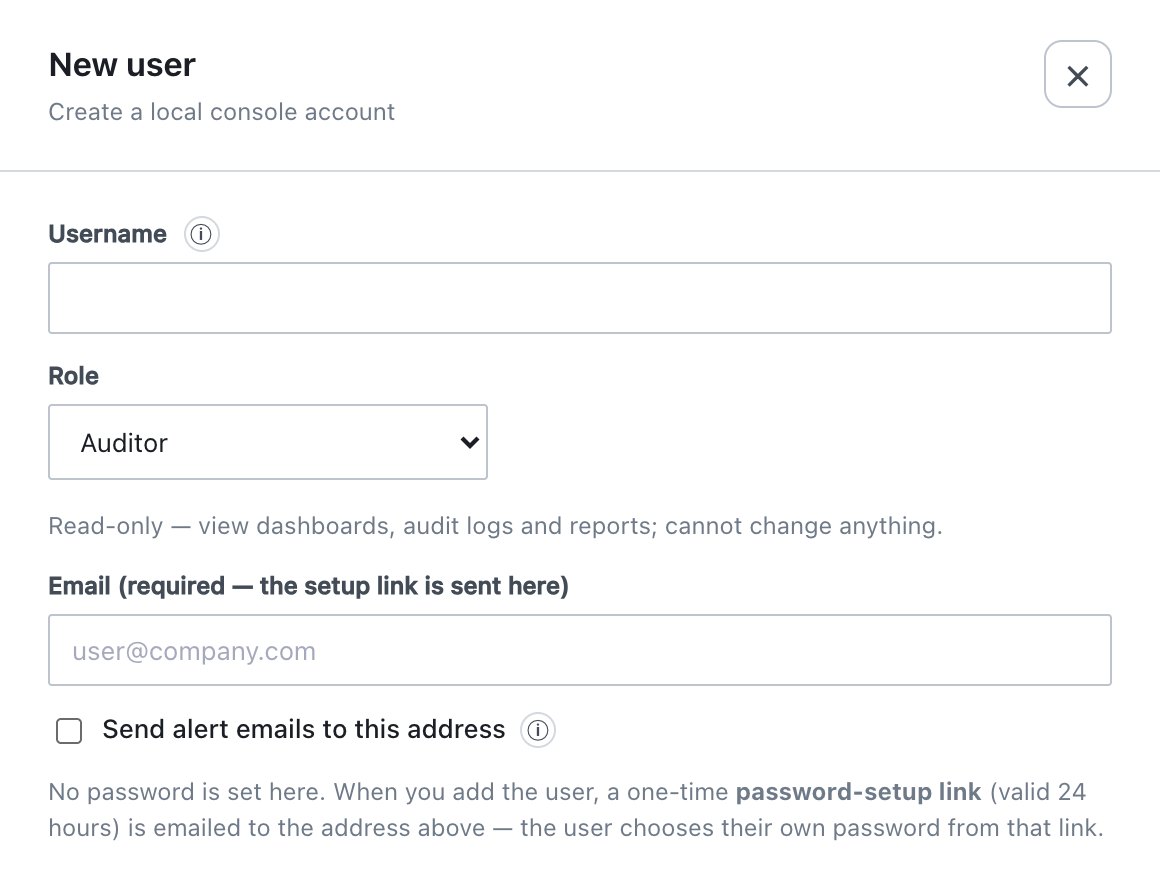
| Field | What it does | Default / allowed values |
|---|---|---|
| Username | Sign-in name. | 3–32 characters: letters, digits and . _ -. Must be
unique. |
| Role | Console role. | Auditor (default for new users) or Administrator. |
| Email (required — the setup link is sent here) | Address for the setup link, later reset links, and alerts if ticked. | Required for new users; must be a valid address. Optional when editing. |
| Send alert emails to this address | Adds this address to alert e-mails, on top of the default recipients (Settings → Email (SMTP)). Covers the Alerts categories and custom rules. | Off. Requires an e-mail address. |
About setup and reset links
- Valid for Reset link lifetime (section 6.8; default 24 hours). The console’s messages show the configured value.
- One-time use. Only the newest link of a user is valid: sending a new link invalidates the previous one.
- The token is in the URL fragment (
…/ada/#reset=…), so it never reaches server or proxy logs. The link points to the console address configured at installation (by defaulthttps://<server name>:9443/ada/). - A link stops working when the account is deleted or the password is changed; pending links of a renamed account follow the new name.
- If the chosen password breaks the policy, the page explains why and the link stays valid for another try.
Edit, rename or change the role
- Click the user name or the pencil. The panel (Edit role, email & alert preference) opens.
- Change Username (renames the account), Role, Email (optional) or Send alert emails to this address.
- Click Save.
Rules enforced by the server:
| Action | Rule |
|---|---|
| Rename | Same 3–32 character rule; the new name must be free. Password, role, e-mail and open sessions are kept (renaming yourself keeps you signed in). The built-in administrator cannot be deleted but can be renamed. |
| Change role | You cannot change your own role. The last administrator cannot be changed to Auditor (…promote another user first.). A role change signs that user’s local sessions out; the new role applies at their next sign-in. |
| Must be a valid address; empty clears it (and turns alert e-mails off). |
Send a password-reset link
- Click the key icon on the user’s row and confirm. The user’s current password keeps working until a new one is set.
- The message confirms the e-mail, or shows the link with Copy if it could not be mailed.
Delete a user
- Click the bin icon and confirm (Delete user “…”? Their open sessions will be closed.).
- If Deleting a console user is ticked under Settings → Security (section 6.8), enter your password.
Deleting closes the user’s sessions and invalidates their pending links. You cannot delete your own account, the built-in account, the last remaining account or the last administrator.
The built-in administrator and the initial password
The installer creates one built-in administrator with a generated
password, stored in initial-admin-password.txt on the
server (sudo adactl admin initial-password shows it). After
signing in with it, the console opens only the New password for
<user> screen until you choose your own password; the
file is deleted as soon as you do. The built-in account can be renamed
but never deleted, so there is always a local break-glass
administrator.
Audit events
admin_user_added, admin_user_updated,
admin_user_renamed, admin_user_role_changed,
admin_user_removed, admin_password_reset_link,
admin_password_changed (also for links),
admin_login, admin_login_failed (with the
reason: invalid, locked, no role, IP not allowed, local sign-in
disabled, directory unavailable),
auditor_alert_optin_denied.