
16.2 System
Administration → System answers “is anything wrong on the server, since when, and why?” and shows the logs. Administrator role only.
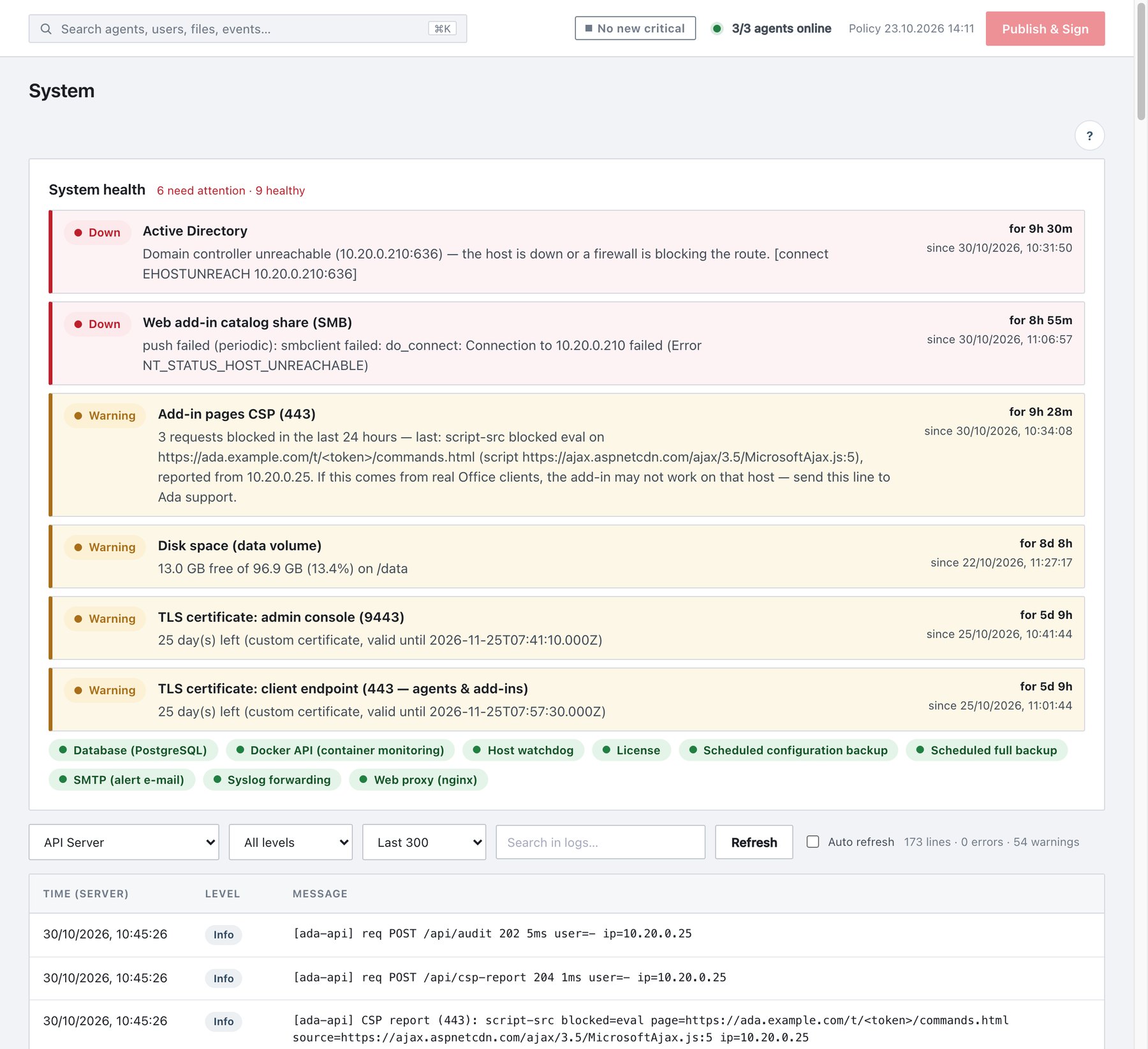
16.2.1 System health panel
The panel lists each component the server depends on: Active Directory, syslog forwarding, SMTP, the database, the web proxy, the host watchdog, the Docker API, the web add-in catalog share, disk space, TLS certificates, the licence and the scheduled configuration/full backups.
- Problems first: each row shows Down or Warning, the component, the reason, and for 2d 11h — since <time>.
- Healthy components appear as green chips (tooltip: message and last check). Components that are off appear as grey · off chips.
- The header summarises: N need attention · M healthy · K off or No problems detected.
- Clicking a row or chip opens that component’s log below.
Checks run on a schedule — Active Directory, core services and certificates every 5 minutes, syslog and SMTP every 15 minutes, containers every 30 seconds — and immediately when a sign-in, a delivery or a share push fails. The state is stored on disk, so a restart neither forgets an ongoing outage nor announces it again.
16.2.2 Logs
| Control | Values |
|---|---|
| Source | Application logs (written by the server, kept across restarts and redeploys): Active Directory, Syslog, SMTP · Email, License, Web Add-in Catalog, Core Services, Containers · Events. Service logs (raw container output, emptied when a container is recreated): API Server, Web · Reverse Proxy, Database · PostgreSQL, Docker Guard, AI Service. Default: API Server. |
| Level | All levels / Error / Warning / Info |
| Depth | Last 100 / Last 300 / Last 1000 lines |
| Search in logs… | Case-insensitive text filter on the loaded lines. |
| Clear Filter | Resets level and search. |
| Refresh / Auto refresh | Reload now / every 5 seconds while visible. |
The table shows Time (server), Level and Message, newest first. The status line counts lines, errors and warnings. Identical consecutive entries are merged into one line marked ×N · first <time>.
Typical application-log lines: Active Directory is DOWN — <reason> and later Active Directory RECOVERED after 2d 11h; container crash/restart/recovery events; syslog delivery counters (sent / failed per server). The API Server log includes the API access log: sign-ins, publishes, agent commands and every request error (routine reads and heartbeats are omitted).