
6.4 Time
Administration → Settings → Time. Sets the time zone used for every displayed time and every schedule, and an NTP server against which the server clock is monitored.
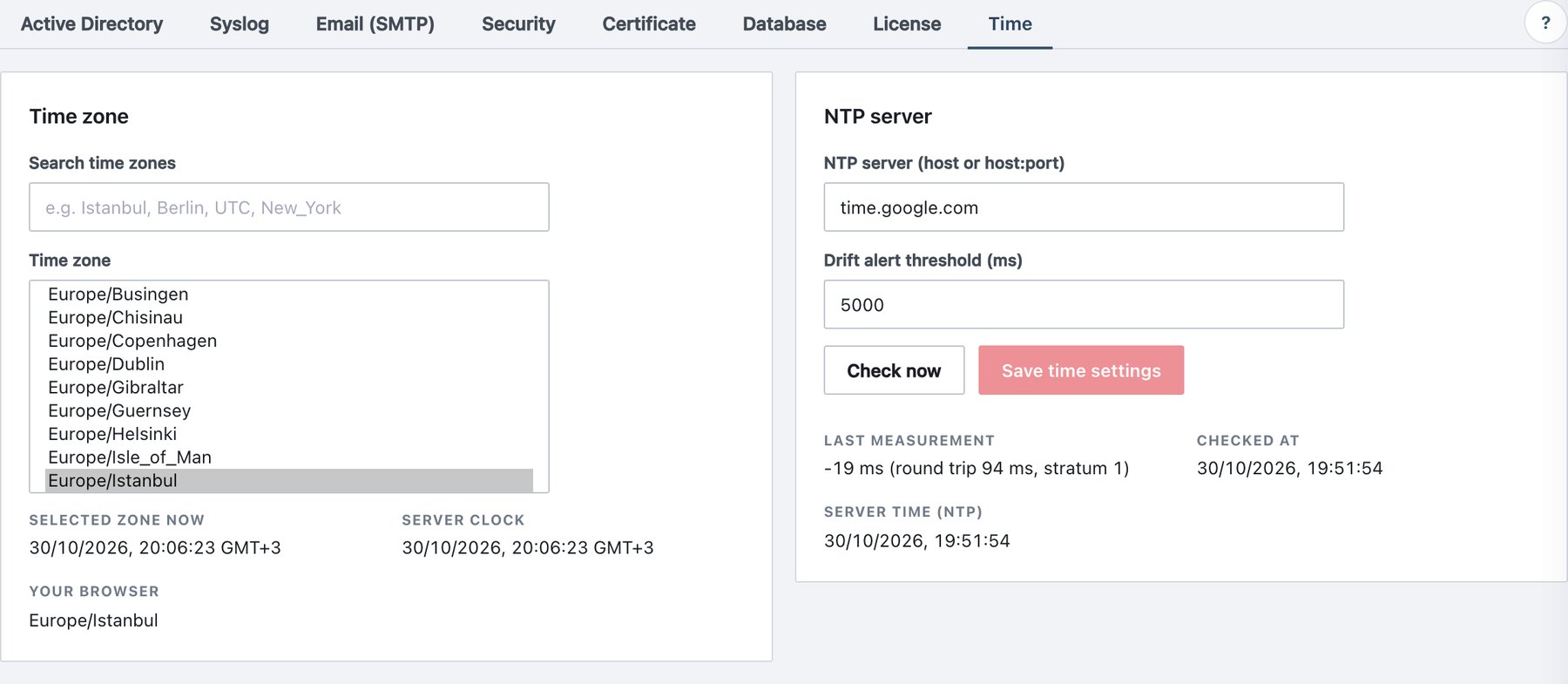
Fields
| Field | What it does | Default / allowed values |
|---|---|---|
| Search time zones | Filters the list below (the selected zone always stays visible). | Free text, e.g. Berlin, UTC,
New_York. |
| Time zone | IANA time zone for all display and day/hour calculations. | All IANA zones supported by the server. Factory default
Europe/Istanbul. Unknown names are refused. |
| NTP server (host or host:port) | Server queried by SNTP (UDP 123 unless a port is given). | host, host:port, [ipv6]:port
or a bare IPv6 address; max 253 characters. Empty = monitoring off. |
| Drift alert threshold (ms) | Maximum tolerated clock offset. | 100 – 3,600,000 ms. Default 5000. |
Read-only values: Selected zone now, Server clock (in the selected zone), Your browser (your browser’s zone), Last measurement (offset, round trip, stratum; red when over the threshold or unreachable), Checked at, Server time (NTP).
Procedure
- Search for and select the time zone.
- Enter the NTP server you also use for your domain controllers.
- Click Check now to test without saving.
- Click Save time settings. The message confirms the zone now used everywhere.
Behaviour
- Data is stored in UTC; changing the zone changes only presentation and calculations.
- The zone applies to: every timestamp in the console; report cells, CSV exports and e-mail timestamps; the hours of report, backup and audit-purge schedules; and day boundaries such as “Today” in Audit Log and Overview. Other open consoles pick up a changed zone within 10 minutes.
- Ada does not set the clock. It measures the offset every 15 minutes (and right after Save). The operating system of the host must synchronise the clock (chrony or systemd-timesyncd).
- When the offset exceeds the threshold,
clock_drift_detectedis written once;clock_drift_recoveredwhen it returns. Both belong to the Service health alert category. The offset is also shown on Administration → Status. - Audit event:
time_config_changed.